Ten Ways to Make Your iPhone Battery Last Longer
Translated from my original Japanese post (2019). 日本語の原文を読む →
Salut! It's Yoko, a food blogger who eats her way around the world.
How long does the battery on your current phone last?
Lately, I almost never drop below 80% before bedtime.
But back in the Facebook heyday, when my phone addiction was at its worst, I had a phone in one hand from morning to night, and the battery drained so fast.
By the afternoon I was easily below 50%, and by evening it was nearly dead...
Around this time last year, I arrived in Marseille at 11 p.m. and had to look for a hotel in the pitch dark, with hardly anyone around and 2% battery left. I almost cried.
For smartphone users who can't live without the internet, a battery that doesn't last is a matter of life and death.
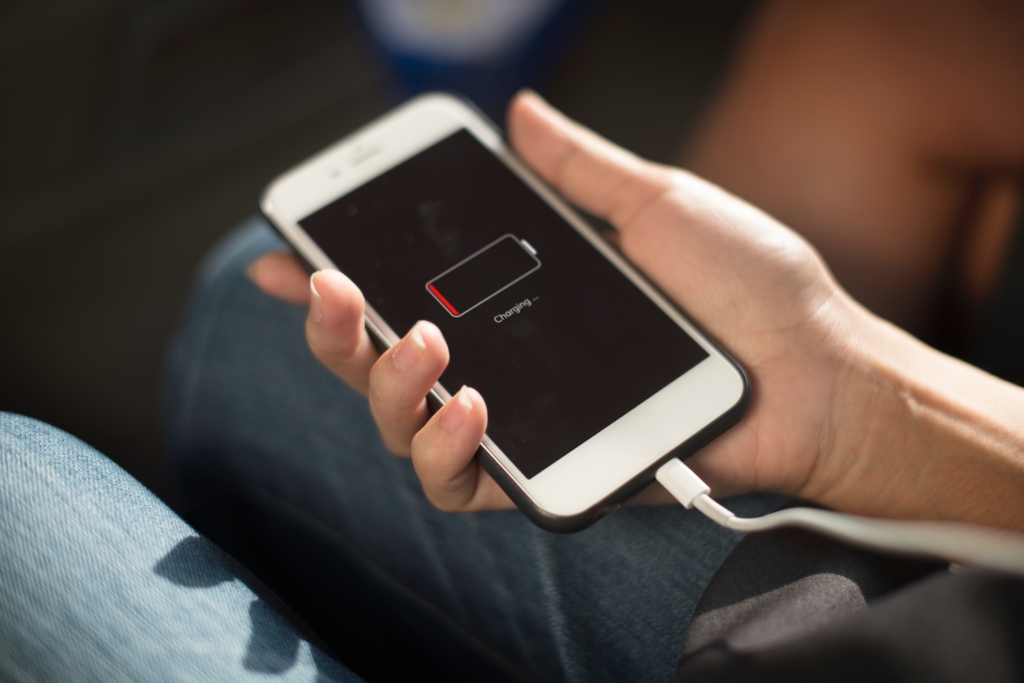
So I put together things you can do right now if your iPhone battery doesn't last!
Charge often, in small amounts, to make the battery last
The days of running a battery down to 0% and then charging to 100% are over.
The nickel-metal hydride batteries used in old phones had something called the memory effect.
The memory effect is when a battery "remembers" the percentage it was at before charging,
so if you charge while some battery is left, its chargeable capacity gradually shrinks.
That's why we used to hold out until the last minute at night.
But with the lithium-ion batteries used in iPhones, you don't need to worry about the memory effect!
They don't self-discharge either, so there's no need to charge up a lot all at once.
In exchange, lithium-ion batteries have three weaknesses.
"Low/high temperature deterioration," "storage deterioration" and "cycle deterioration."
I'll explain them one by one.
Low/high temperature deterioration
Lithium-ion batteries are designed to work best between 0°C and 35°C, so using them in extremely hot or cold places degrades the battery.

Source: https://www.apple.com/jp/batteries/maximizing-performance/
So when your phone gets too hot to hold, be careful!!
The temperature tends to rise more from heavy use, like games and videos, than from the environment,
so if it feels hot, turn it off, or avoid running several apps at once.
Storage deterioration
Lithium-ion batteries perform best when they're between 20% and 80%.
Leaving a battery fully charged or fully discharged leads to deterioration,
so the iPhone charges quickly until the battery reaches 80%, and after that it uses trickle charging, which weakens the current.

Source: https://www.apple.com/jp/batteries/maximizing-performance/
This is fine for normal use,
but if you leave it at 100% for months, the voltage inside the battery stays high and damages it.
Conversely, at 0%, the lithium-ion battery's protection circuit kicks in, which makes it hard to charge.
That's why Apple recommends storing the phone at 50% for long periods.
When you replace your phone and sell the old one on Mercari, for example, it will sit in storage for a long time, so check the battery level before putting it away.
Cycle deterioration
iPhones use lithium-ion batteries that still deliver 80% of their performance after 500 charge cycles.
One cycle is counted when you charge from 0% to 100%,
and charging 30% once and 70% once also counts as one cycle. (They add up.)
So to make the battery last, you need to keep the cycle count low.

Source: https://www.apple.com/jp/batteries/maximizing-performance/
It's also important to keep your "depth of charge" shallow.
Depth of charge is how much you charge in one go. Charging from 20% to 100% is a deep 80%,
while charging from 80% to 100% is a shallow 20%.
The shallower the depth, the less the battery wears out,
so in daily use, the gentlest approach for your battery is to charge as soon as it hits 80%!
By the way, under Settings > Battery you can see which apps are using power and check battery usage.

Under Settings > Battery > Battery Health you can also check how much the battery has degraded.

If you think your battery is draining way too fast, check these.
Ways to make your iPhone battery last longer
Besides how you charge, you can tweak settings to make your battery last.
- Lower the screen brightness
- Turn off Location Services
- Turn off Wi-Fi and Bluetooth
- Turn off iCloud
- Turn off data roaming
- Turn off Personal Hotspot
- Turn on Airplane Mode
- Update to the latest iOS
- Turn on Low Power Mode [Important]
- Charge often with a battery case [Important]
Lower the screen brightness
A bright screen eats up battery. Also, a bright screen draws needless attention.
Swipe from the bottom of the screen to open the settings menu and lower the brightness.

Turn off Location Services
With Location Services on, GPS runs and uses battery.
You can turn it off under Settings > Privacy > Location Services.

Turn off Wi-Fi and Bluetooth
With Wi-Fi and Bluetooth on, your phone uses battery searching for devices to connect to.
Turn them off from the settings menu you get by swiping from the bottom of the screen.
The closer the phone is to the antenna, the less power it uses, so use Wi-Fi when you have it, and otherwise turn on mobile data.

Only turn Bluetooth on when you're using it.

Turn off iCloud
With iCloud on, photos and notes are backed up automatically, but that causes data traffic.
You can turn it off under Settings > your name > iCloud.

That said, you won't get backups anymore, so this might be a setting I can't really recommend.
Turn off data roaming
You basically don't use data roaming, so it's fine to keep it off.
You can turn it off under Settings > Cellular > Cellular Data Options.

Data roaming is a feature that uses the networks of overseas carriers that your current carrier has partnered with.
So if you use Docomo in Japan, for example, you don't need to turn it on.
If it's on, you can use your phone abroad, but you're charged the overseas data roaming rates instead of your Docomo plan.
That's the infamous "I used my phone abroad and got a huge bill!!"
On overseas trips, though, you may need to turn it on.
For example, when you use a Three SIM in Spain (Three is a UK carrier that works in more than 42 countries).
Turn off Personal Hotspot
Personal Hotspot turns your phone's connection into Wi-Fi for other phones and PCs,
and the battery drain while using it is no joke... You probably don't use it often, so be careful not to forget to turn it off!

You can turn it off under Settings > Personal Hotspot.
Turn on Airplane Mode
On a plane or out of range, having mobile data on uses up power.
Swipe from the bottom of the screen and turn on the airplane icon in the settings menu.

Update to the latest iOS
The latest software sometimes includes advanced power-saving technology, so keep iOS up to date.
On Wi-Fi, go to Settings > General > Software Update

Turn on Low Power Mode [Important]
Turn on Low Power Mode, which automatically changes several settings so your phone uses less power.
Settings > Battery > Low Power Mode
With Low Power Mode on, Background App Refresh is turned off and auto-lock is set to 30 seconds, which helps the battery last.
A smart battery case that makes your iPhone last twice as long
Finally, for those who've read this far, here's a battery case I recommend.
If you think "Fiddling with settings is a hassle, but I still want my battery to last as long as possible!", I recommend an iPhone Smart Battery Case.
Before I used this, I was constantly battling my battery level, but now that worry is gone.

The only downside is that it's a bit heavy, but honestly it's so convenient I can't go back to life without this case.
The Smart Battery Case is Apple's genuine iPhone case, a combined case and battery.
The specs are solid too.
- Designed by Apple
- Up to 26 hours of talk time
- Up to 22 hours of internet use on 4G LTE
- Up to 24 hours of video playback
*For the iPhone 7 Smart Battery Case
The top bends, and you slide the iPhone in from there.

There's a connector at the bottom of the battery case, and the phone is charged through the case.

It's like always carrying one extra phone battery's worth of charge.
The charge levels of the case and the iPhone itself are shown separately.

You don't have to carry around a cable and a charger,
and since you're effectively charging often in small amounts, it's gentle on the battery too.
I took it on my Busan trip two months ago, and by nighttime when my friend's phone died, I still had enough left to lend her some!
It costs around ¥10,000 to ¥20,000 depending on the model, and buying it online is cheaper than buying from Apple directly.
A battery with a charging cable costs about the same, but this is far more convenient.
You keep it on all the time, so there's no worry about losing it...
(<- says the person who lost a charging cable in France and had to buy a new one)
If you buy one now and are unhappy with it, feel free to complain to me on Twitter lol. That's how much I recommend it.
So that's how to make your iPhone battery last longer!
I hope this article helps you enjoy a comfortable smartphone life.
See you next time. Au revoir!